
From concept to data, and back.
In ModelDesk you record concepts according to NL-SBB and publish them as linked data. Those same concepts give meaning to your information models and to the schemas you exchange data with. And the other way round: for any piece of data you can find the concept it is about.
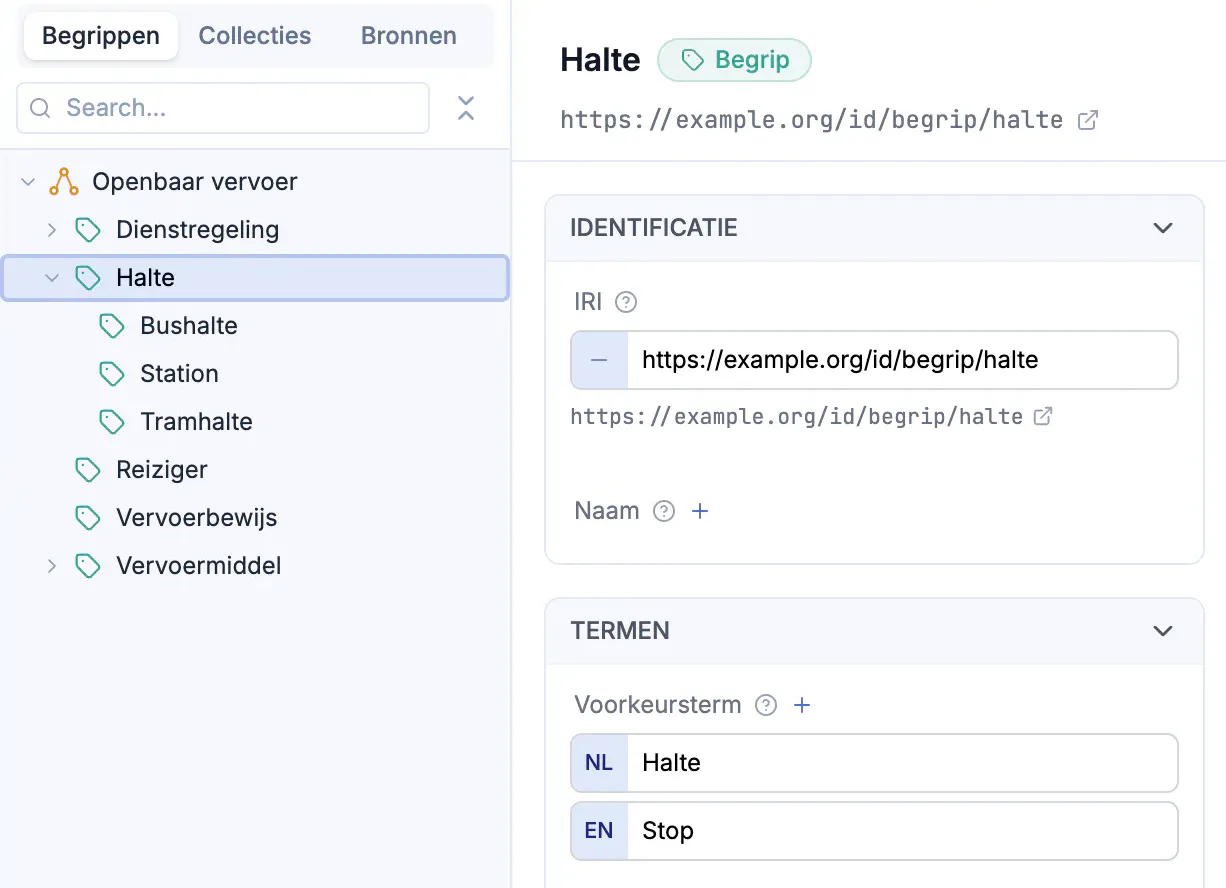
A concept scheme to build on
You do not build a concept scheme for yourself. It has to be complete, connect to what others have already recorded, and show up in the models that build on it.
Demonstrably conformant
Every field on the form is a characteristic from NL-SBB. The validation report shows which concept is still missing a definition or a preferred term. An empty report means your scheme is ready to publish.
Connected to your partners
Use the mapping relations from the standard to point at concepts in another concept scheme. That way a reader knows whether your concept means the same as someone else’s, or something slightly different.
Used across your models
An object type, class or element in another model refers to the concept that fixes its meaning. That works in every modeling language ModelDesk supports. Change the definition and you see which models it reaches.
Recording the way the standard asks
The form of a concept follows the characteristic groups of NL-SBB: terms, descriptions, hierarchy, associations, mappings, notes and sources. Required fields are marked. Definitions and explanations can be recorded in several languages.
- Broader and narrower concepts are picked from the scheme itself
- Collections are managed from the concept or from the collection
- Change hundreds of concepts at once with a bulk update
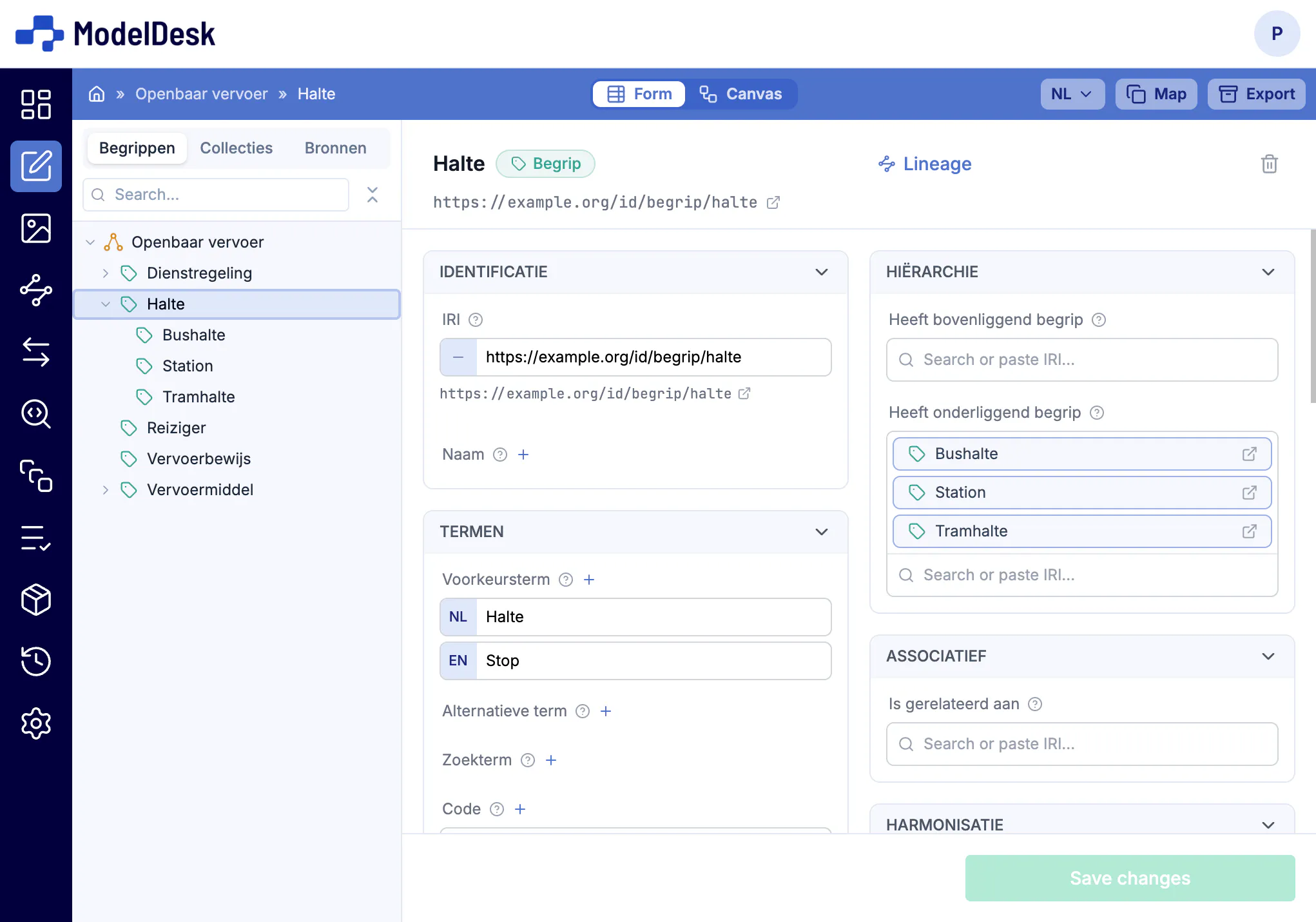
See how your concepts connect
Next to the form, the canvas shows your concept scheme as a graph: which concept sits under which, and where the branches are. Select a concept and you edit it on the right, without leaving the view.
- The hierarchy at a glance, even with hundreds of concepts
- The form and the canvas show the same concept, side by side
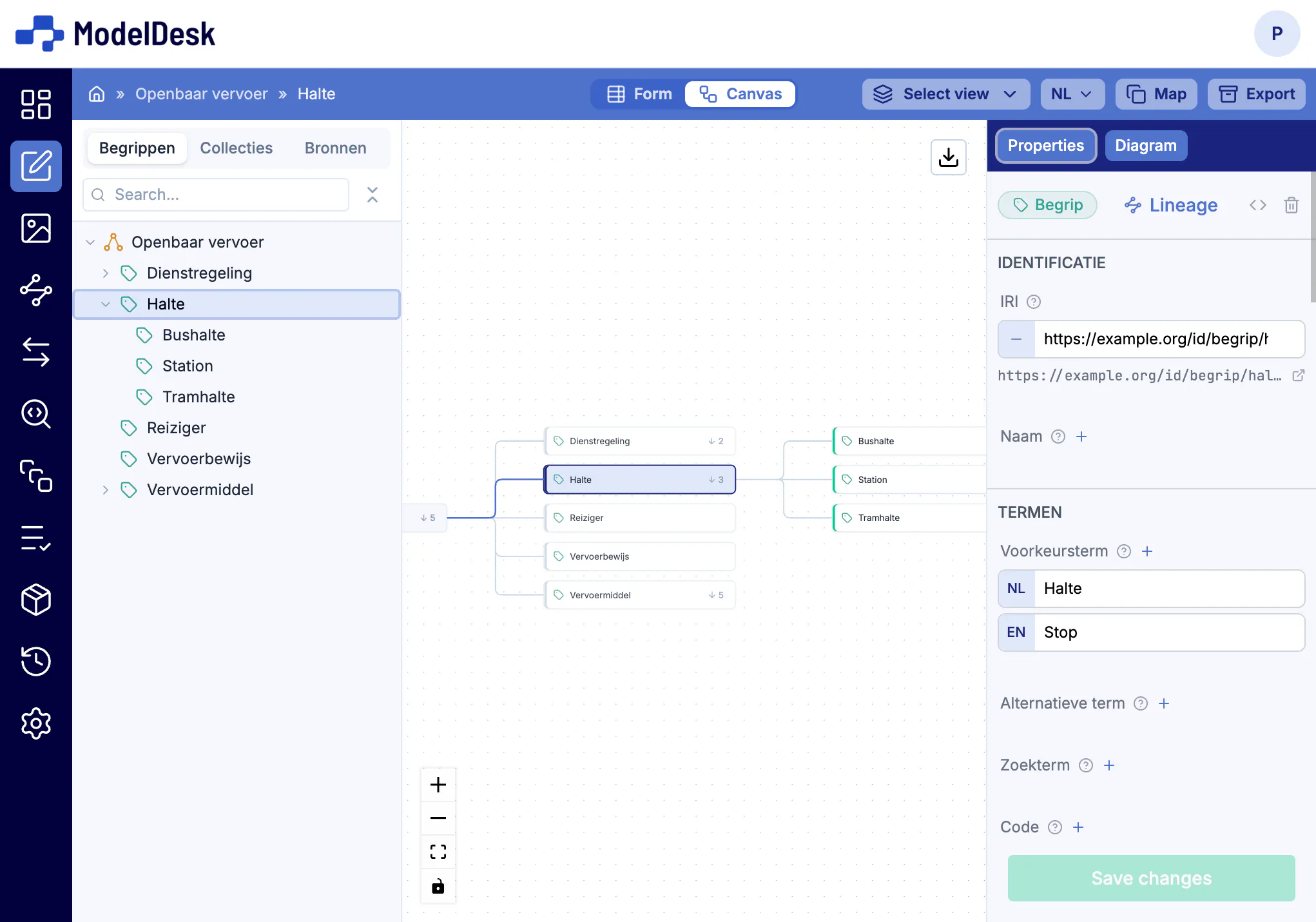
Extended with what your organization needs
Does your organization need characteristics the standard does not know, such as an owner, a status or an internal number? An extension adds them on top of NL-SBB. The base profile stays intact, the export stays conformant, and your own characteristics simply appear on the form.
- Your own characteristics and relations on top of the base profile
- The thesaurus relations from ISO 25964 are such an extension: generalisation, part, instance
- A model lists the extensions it uses, next to the standard and its version
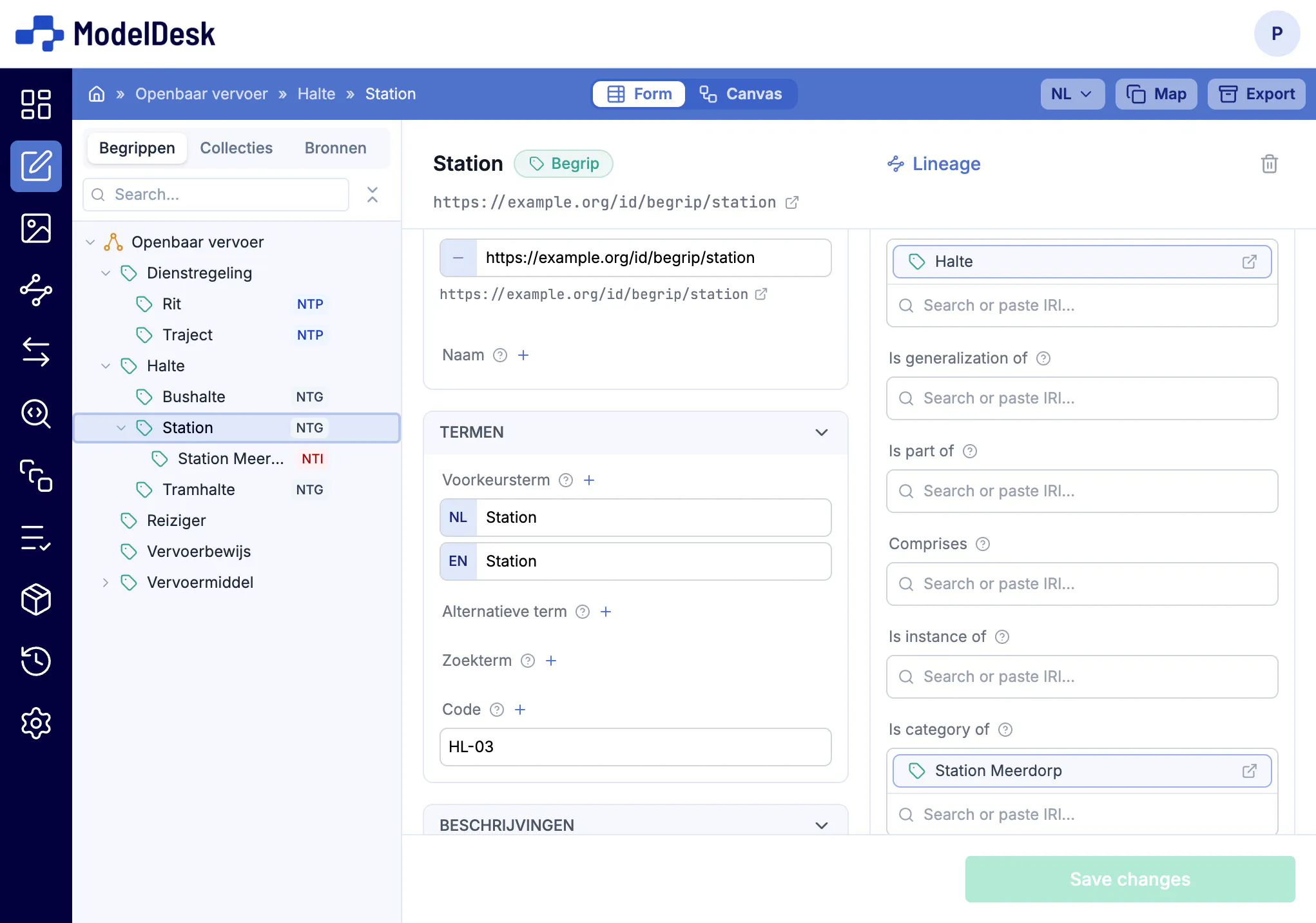
Pointing at each other’s concepts
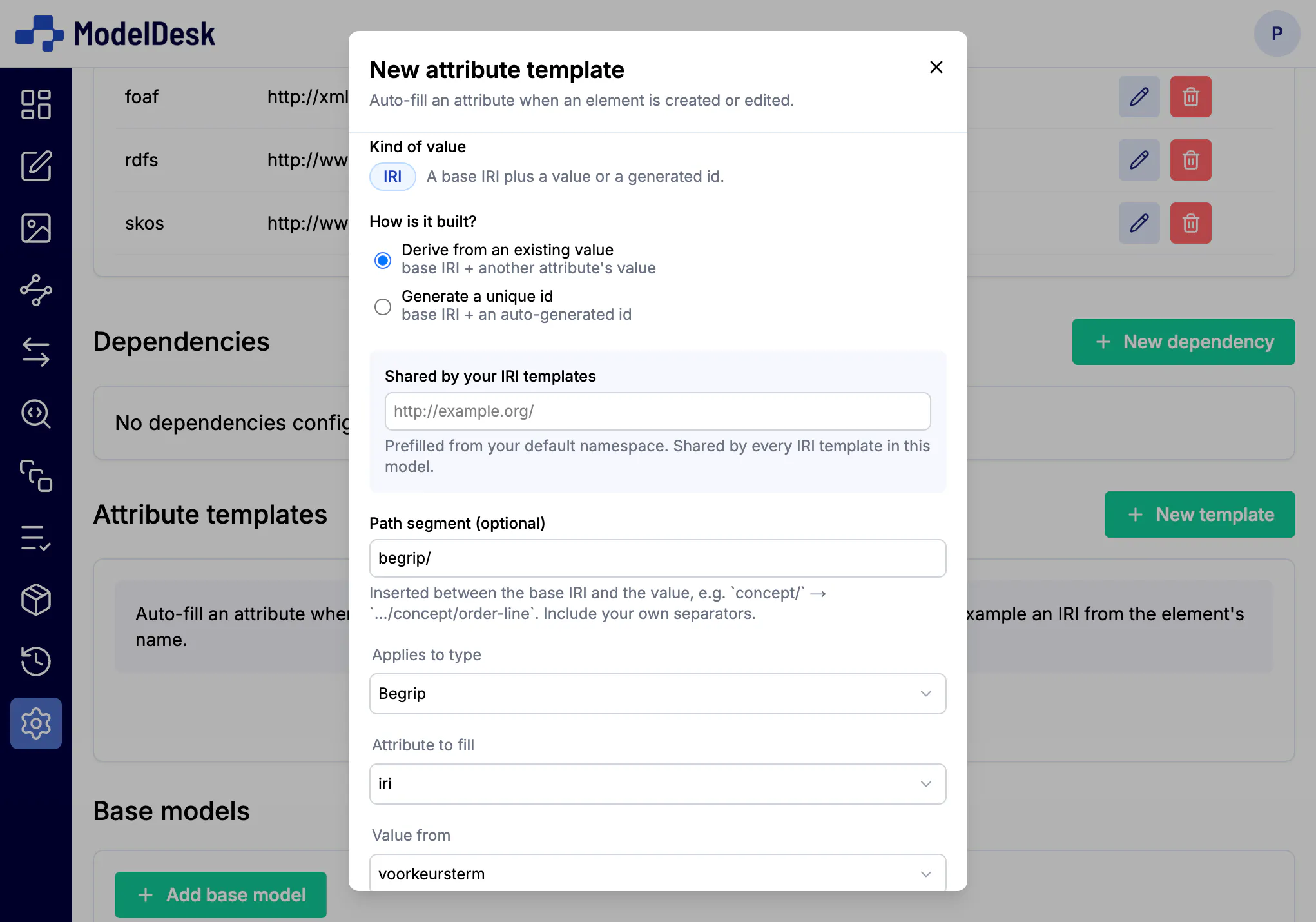
For anyone to point at your concepts, they need a stable URI. An attribute template mints one automatically from the preferred term, so every concept has one and they all share a shape. In the other direction, the mapping relations from the standard record how your concept relates to a concept elsewhere: exact match, close match, related, broader match and narrower match.
- Templates fill the IRI on creation, derived from a field or as a generated id
- References to concepts elsewhere carry into the export
- Source documents are recorded as Brondocument elements and referenced from the concept
Know what is still missing
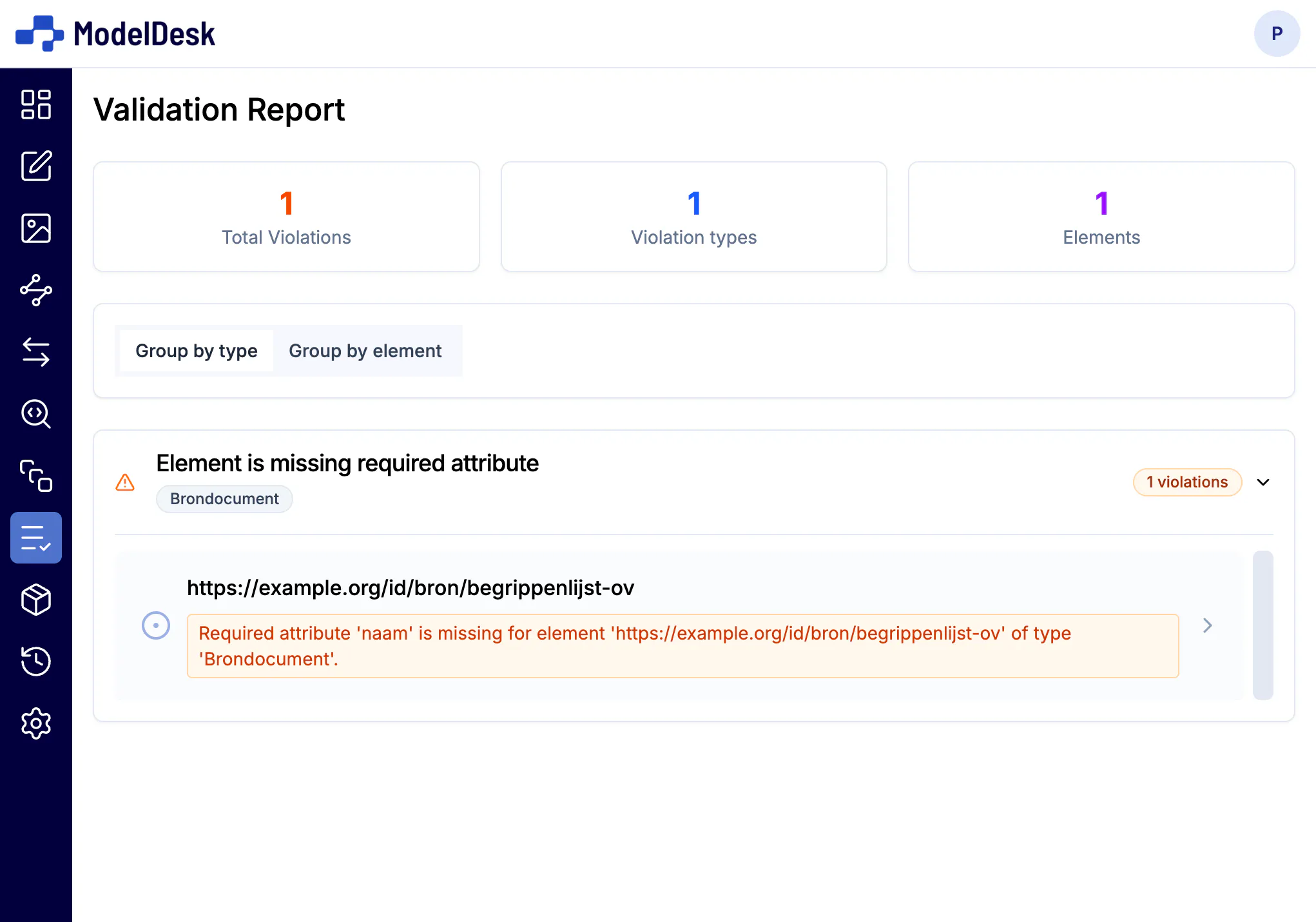
The validation report lists what does not meet the standard, by kind of violation or by concept. Select a finding and you land in the field you have to complete. An empty report means you can publish.
- Required characteristics, allowed relations, cardinalities
- You do not have to run the output through a separate SHACL validator
Bring your existing scheme along
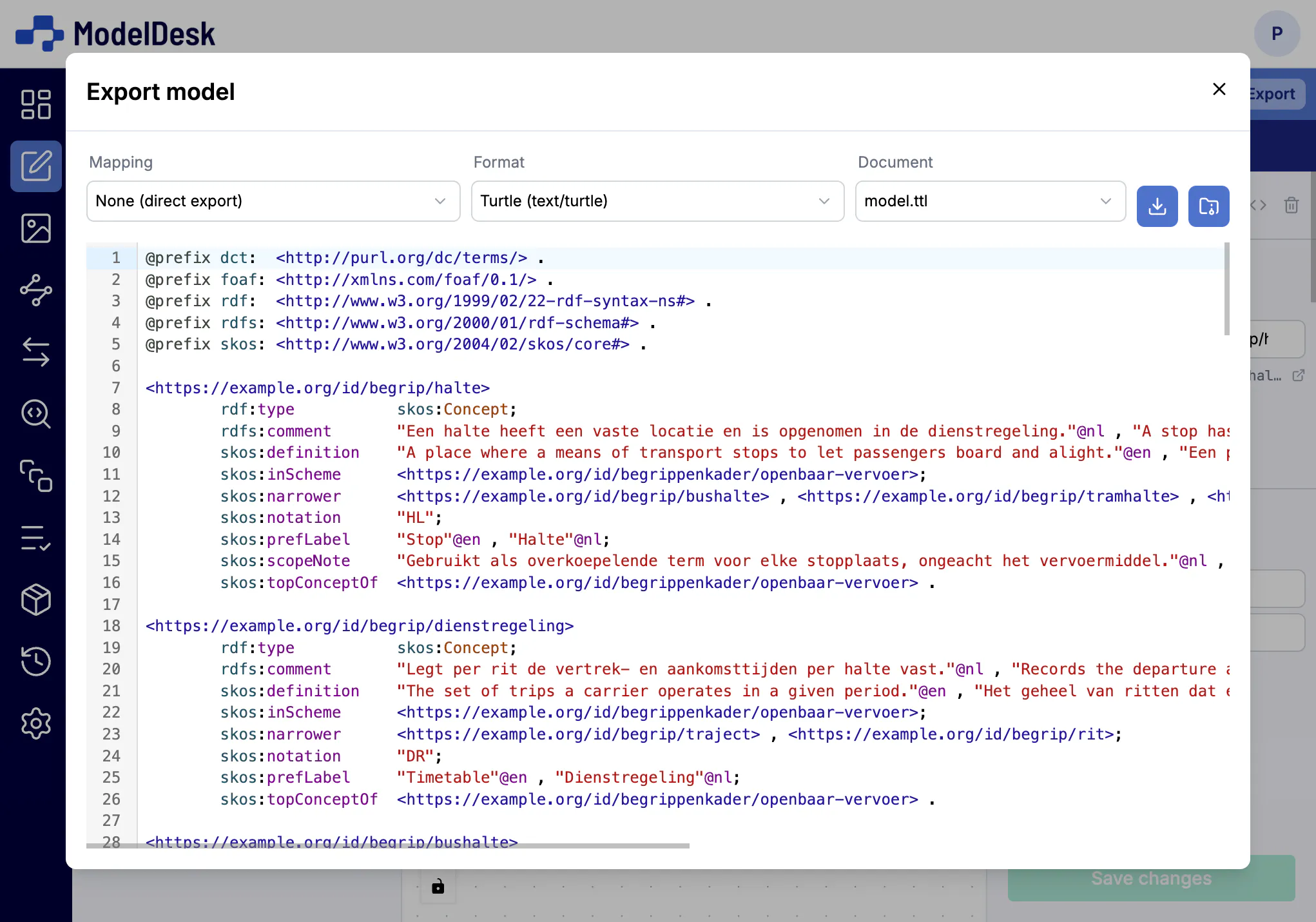
Already have a concept scheme in RDF? Import it from a file or a URL and carry on in ModelDesk. Export in any common RDF format, which is what a catalogue or a partner organization asks of you.
Your data stays yours. You can always export.
The same concepts in every model
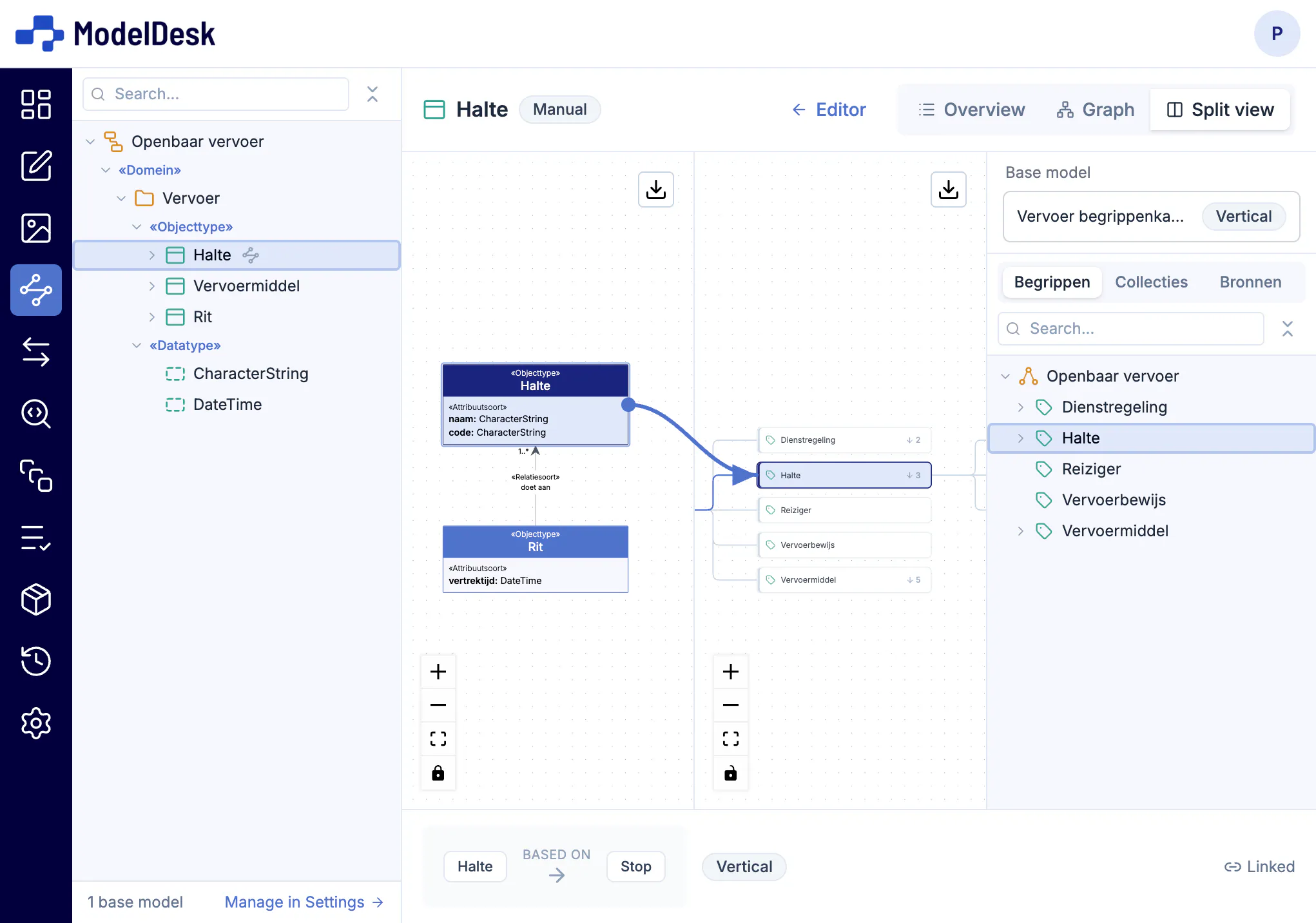
Your concept scheme sits next to your other models, whatever language they are in: MIM, UML, RDFS/OWL, SHACL, XSD, JSON Schema or an application profile. An object type, class or element refers to the concept it is about. Whoever reads the model finds the definition. Whoever changes the concept sees where it is used.
From concept to schema, with the provenance of every definition.
See the modeling approaches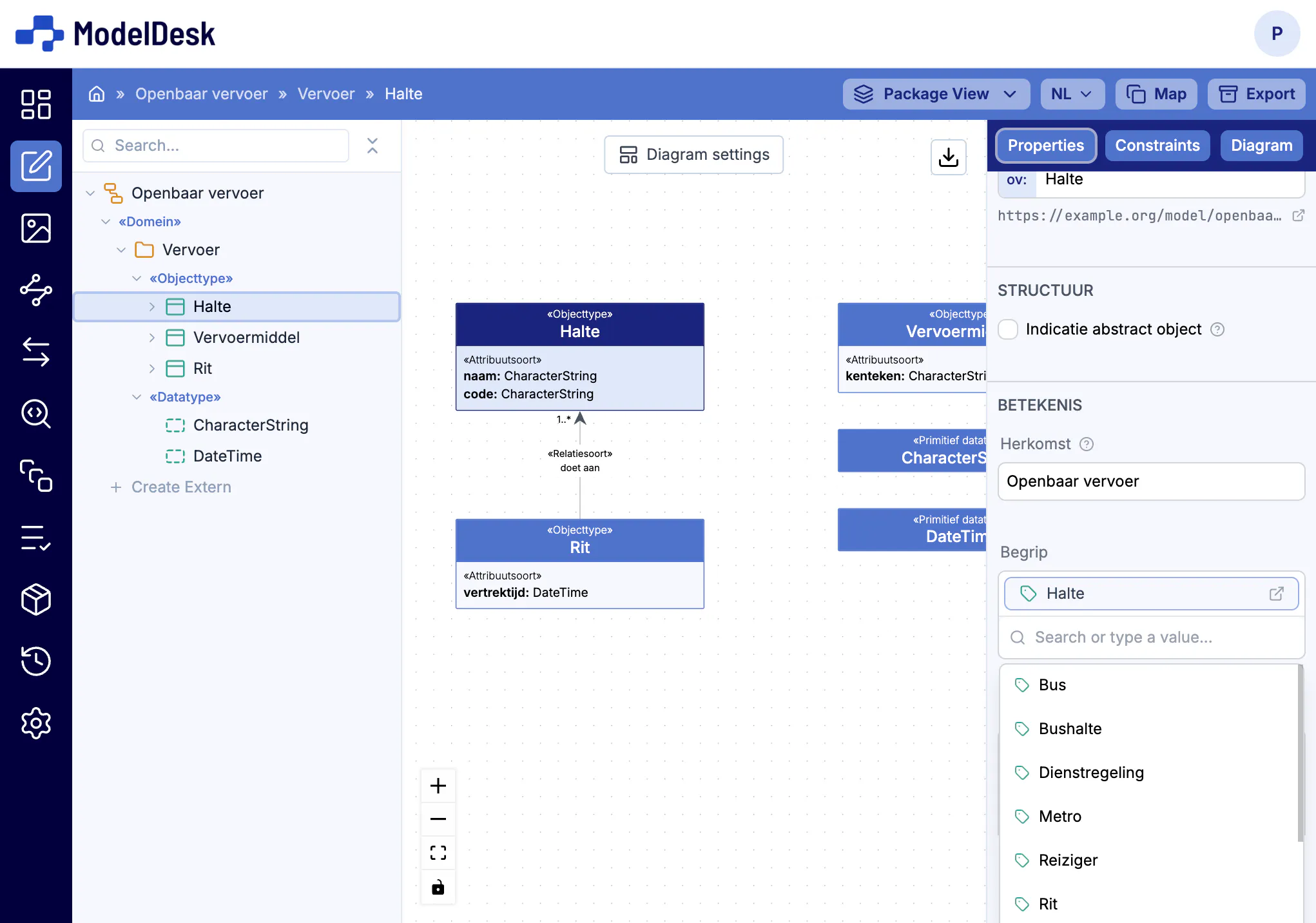
Traceable from concept to field
Semantic lineage shows where the meaning of a piece of data comes from. From an element in your information model you follow the reference to the concept that defines it, and on to the schema elements that derive from it. That answers "what does this field mean?" without guesswork.
- A lineage overview and a graph view alongside your model tree
- Correspondence rules record how elements relate to one another
- Lineage references carry into the JSON Schema export, via x-mim-element
Working together, with history
Every change is a commit. You mark a publication as a named version so others can pin to it while you carry on. Your colleagues work in the same browser environment, hosted in the EU.
- Nothing to install, no license server, no VPN
- Seats per standard within your organization
- Service accounts for automated exports
How ModelDesk compares to the alternatives
You can start small with a spreadsheet. A generic thesaurus tool you configure yourself with the NL-SBB SHACL profile. ModelDesk has the standard on board already.
| Spreadsheet template | Generic SKOS toolconfigured with the SHACL profile | ModelDesk | |
|---|---|---|---|
| NL-SBB characteristics built in | after your own setup | ||
| Validation against the standard | — | separate validation step | |
| Import and export linked data | conversion needed | ||
| Point at other concept schemes | as text | ||
| Linked to information models and ontologies | — | — | |
| Your organization’s own characteristics | extra columns | ||
| Version control with named versions | file names | differs per tool |
Comparison based on the Geonovum tooling overview and public product information.
Frequently asked questions
- Does a concept scheme from ModelDesk conform to NL-SBB 1.0?
- Yes. The NL-SBB metamodel in ModelDesk follows version 1.0 of the standard. The validation report shows what is still missing, and the export is RDF following the standard’s language binding.
- Can I import my existing concept scheme?
- Yes, from an RDF document (Turtle, RDF/XML, JSON-LD, N-Triples and more), uploaded as a file or loaded from a URL. After the import you carry on in ModelDesk.
- How do I publish my concept scheme?
- You export the scheme as RDF, in the format the receiving party asks for. Where and how you publish differs per organization. Tell us what you have in mind and we will work out together what it takes.
- Can I manage SKOS thesauri that do not follow NL-SBB?
- Yes. Besides NL-SBB, ModelDesk supports RDF models with the RDFS, OWL and SKOS vocabularies, so a concept scheme that does not follow the Dutch profile has a place too.
- What does it cost?
- ModelDesk uses a seat-based licensing model per organization, with seats per standard. Get in touch for a proposal.
Want to see what your concept scheme looks like in ModelDesk?
Send us your scheme or your spreadsheet. In thirty minutes we show it imported, validated and linked to an information model.