
Import, model, transform, publish.
ModelDesk combines modeling, transformation, validation, and publication in one web environment. Built for data modelers and ontologists working with NL-SBB, UML, RDF, and related standards.
Build and edit data models
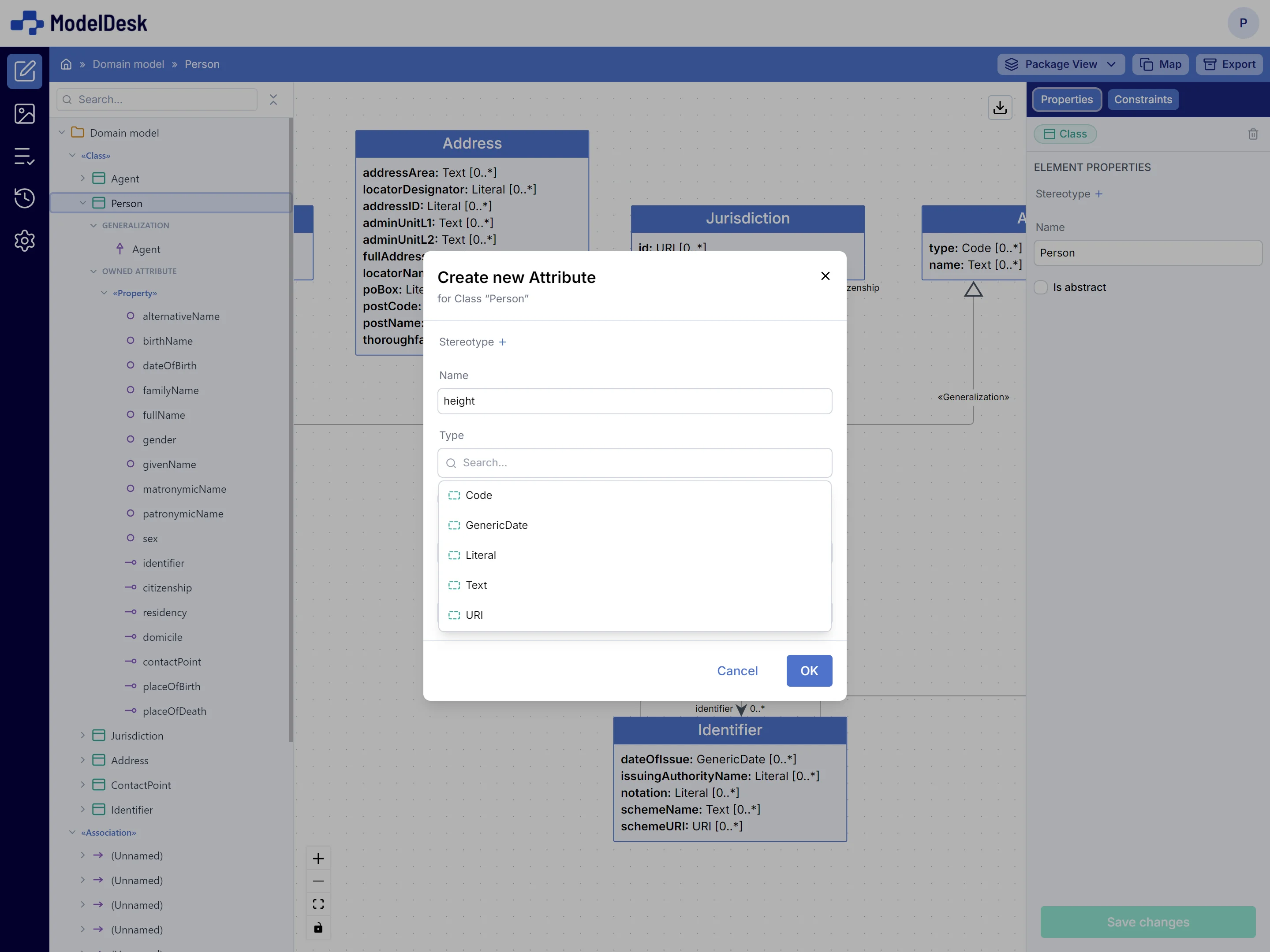
An editor that understands your modeling language: add elements via the tree structure and define properties and relations in a form that automatically adapts. With bulk editing, update dozens of elements at once.
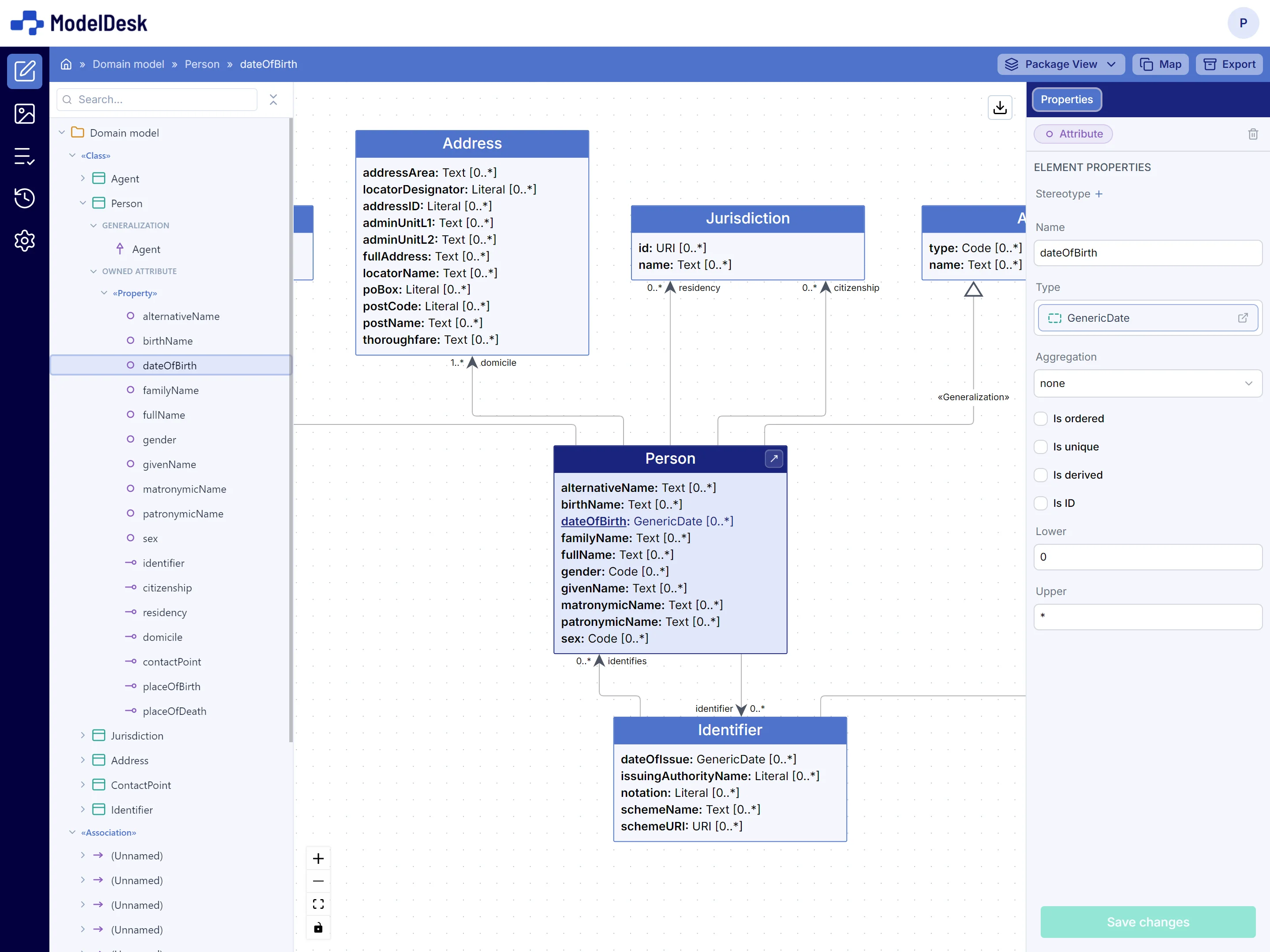
View your model as a diagram
ModelDesk automatically generates class diagrams per viewpoint, with the correct stereotypes, properties, and relations. Also compose custom diagrams by dragging elements onto the canvas. Export as image.
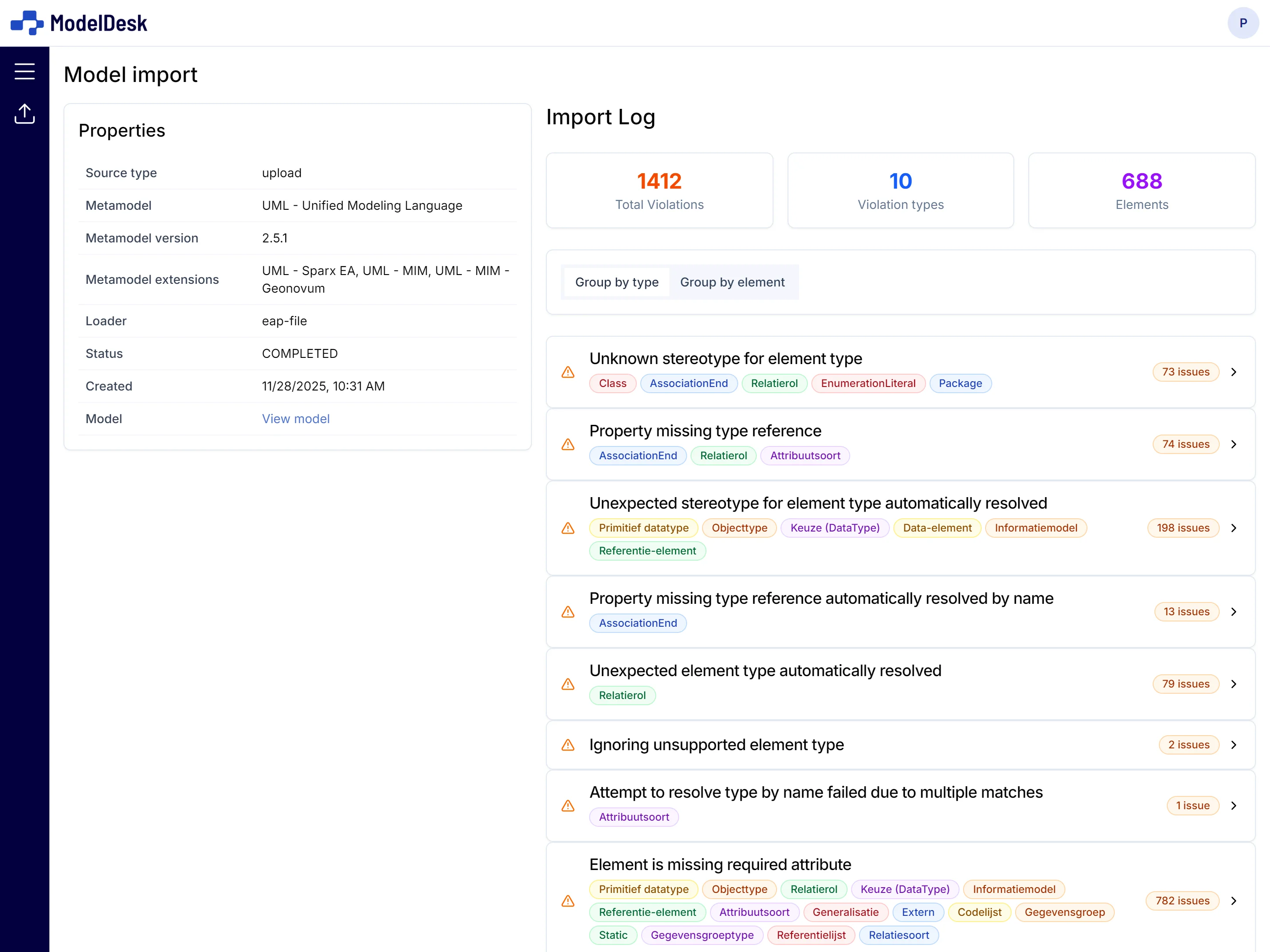
Import existing models
Load models from XMI, RDF (Turtle, RDF/XML, JSON-LD) or XSD — as file upload or via URL. Preview and receive error reporting before finalizing the import. ModelDesk fits your existing workflow.
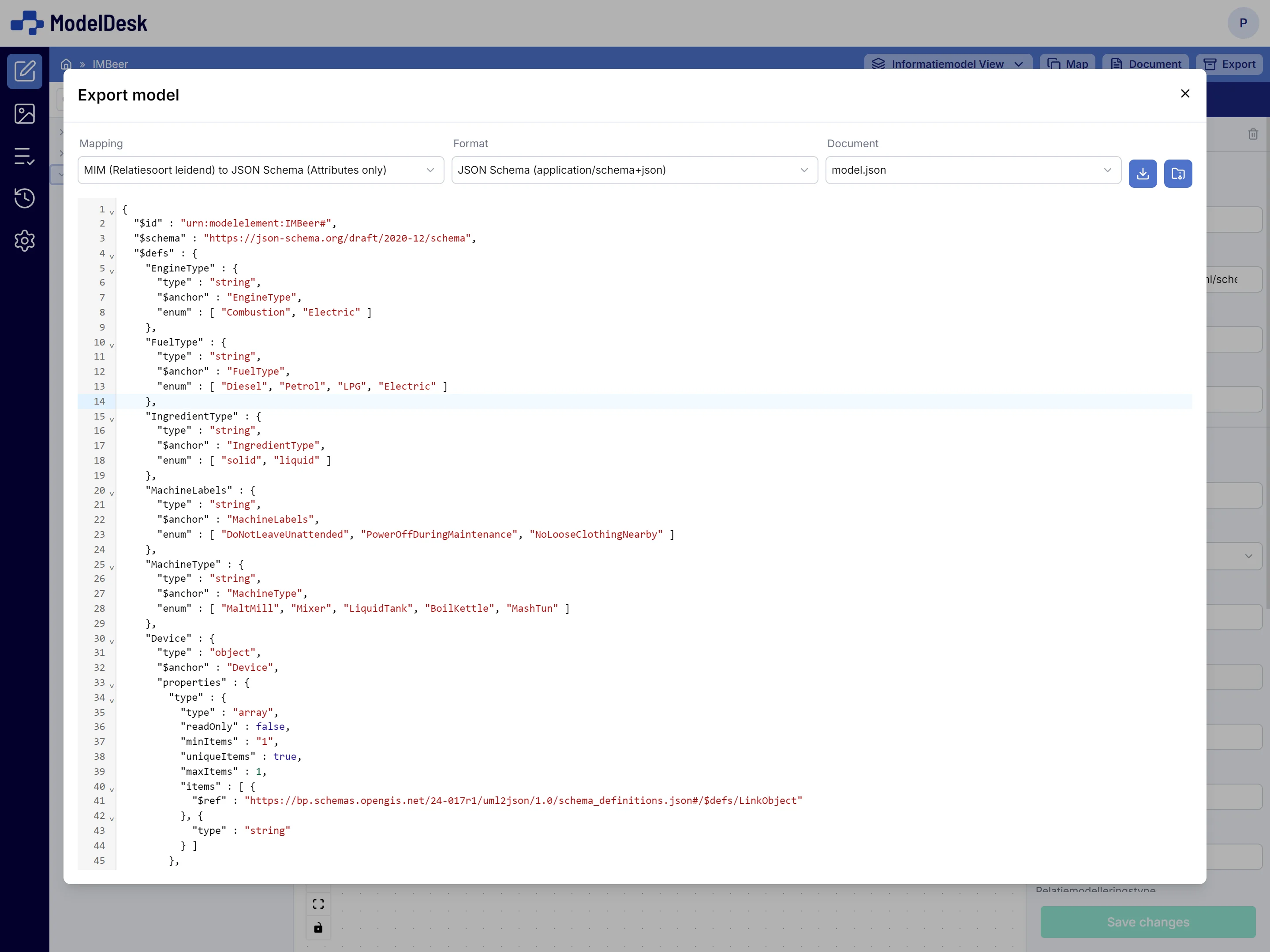
Transform and publish in any format
Generate JSON Schema, XSD, or RDF from your source model using configurable mapping rules. Export to XMI, RDF (Turtle, RDF/XML, JSON-LD, N-Triples, N3), XSD, or JSON Schema. Download as a single file or as a ZIP archive.
Validate standard conformity
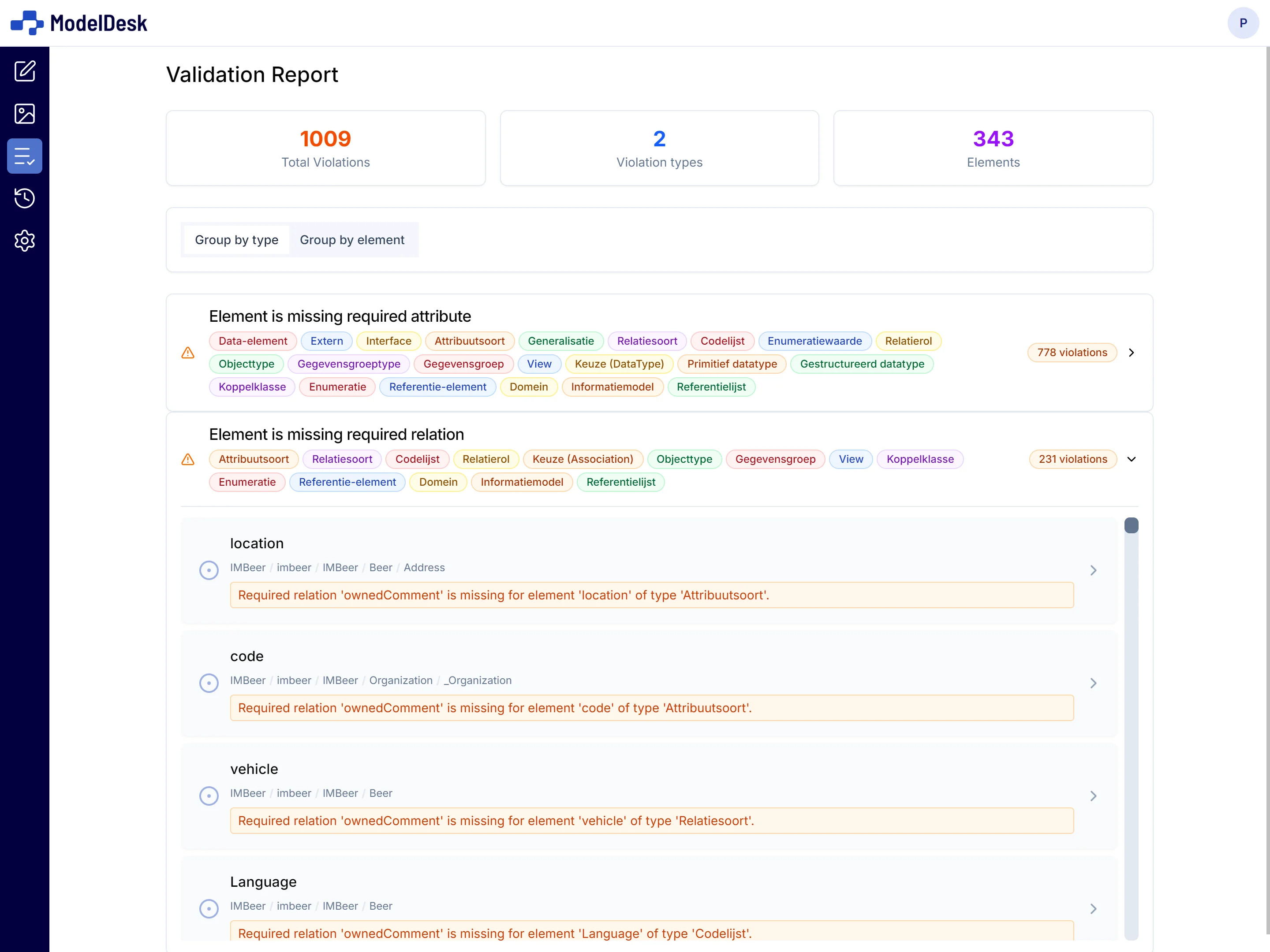
Automatically validate your model against the rules of the chosen modeling language. Errors and warnings are displayed per element in a structured overview, so you can make targeted improvements.
Transform between standards
Transform between modeling languages and schema formats with configurable mapping rules.
| From \ To | UML | RDF | XSD | JSON Schema |
|---|---|---|---|---|
| UML |
Frequently asked questions
Yes. ModelDesk supports import from XMI (UML tools), RDF (Turtle, RDF/XML, JSON-LD), and XML Schema. You can upload files or import via URL.
Yes. ModelDesk uses a seat-based licensing model. Small teams can get started too.
Your models are stored in the EU.
UML, ER, RDFS/OWL/SHACL, XML Schema (XSD), JSON Schema, and the Dutch MIM standard.
Every change in a model is recorded as a commit. You can create named versions and view previous states.
ModelDesk uses a seat-based licensing model per organization. Get in touch for a proposal.
No. ModelDesk runs entirely in the browser. No installation, no license server, no VPN required.
Yes. ModelDesk exports in open standards: XMI, RDF, XSD, and JSON Schema. Your models are always exportable in the format you need.
ModelDesk is hosted in the EU. Sub-processor details are available on request.
Experience ModelDesk firsthand
Discover how ModelDesk simplifies your workflow.